Week 04 Tutorial 03 - Maker King
Describe your experience: Briefly explain your experience with the game (what you liked, disliked, etc.)
I enjoyed the game's simplicity and the ability to test players’ creations mid-gameplay. Some locomotion movements were a bit clunky, and it was often difficult to gauge the distance of a sprint-jump, but otherwise, the game’s basic controls were easy to follow. My issue with the game’s controls, beyond that, was the requirement to hold Shift to maintain grasp on an object. Rather than toggling ‘holding’ on and off (as if equipping an item), the object would slip from the character’s hand if the shift was released. This made it more difficult to focus on solving some of the later puzzles.
The puzzles’ difficulty differed between movement and problem-solving, requiring a mixture of parkour and mental trigger-based puzzles. This kept the flow of the game quite variable, as sometimes it would require you to speed through a section as quickly as possible, and other times it would force you to slow down to piece together a puzzle.
Skill Atoms: Write down and explain the five skill atoms you identified in the tutorial levels.
Skill{Jump}
Player Action: Press Space
Simulation: Active character plays a jump/fall cycle animation, when combined with keyboard left/right
movement, character jumps with momentum in the corresponding direction.

Feedback: Player observes the visual

Newly Learned Skill: "I can jump, and clear objects"
Skill{Sprint}
Player Action: Hold Left/Right Shift
Simulation: Active character plays a sped-up run cycle animation. When changing direction,
character momentum slows down for a second before speeding up again.
Feedback: Player observes the visual
Newly Learned Skill: "I can sprint to traverse at faster speeds"
Skill{Interact with Item}
Player Action: Press E
Simulation: No animation applies to the active character (unless interaction is sleep In which the character
will lie down on the bed). The interacted object plays an animation depending on the object e.g. the door
cuts between open and closed still frames.
Feedback: Player observes the visual

Newly Learned Skill: "I can influence objects (open doors)"
Skill{Hold Item}
Player Action: Hold Shift
Simulation: Active character plays a holding object animation, and dropping animation when shift
key is released.
Feedback: Player observes the visual
Newly Learned Skill: "I can bring items with my character"
Action{Death}
Player Action: Impact Spike Object
Simulation: The active character plays a death animation, and the player is teleported to the game's origin
(spawn) point.
Feedback: Screen fades to black, and the player observes the death visual
Newly Learned Skill: "These objects will kill my character, and reset the game"
Extras:
Skill{Throw Item}
Player Action: Release Shift and press up/w key
Simulation: Active character plays a release object animation and the item is thrown upwards.
Feedback: Player observes the visual
Newly Learned Skill: "I can throw items upwards"
Action{Respawn Point}
Player Action: Pass a Flagged point and Die
Simulation: Player is transported back to the flagged point, gameplay continues on as normal, time is
not reset.
Feedback: Game screen fades to black
Newly Learned Skill: "When passing a flag point, my progress is saved"
Paper Prototype: Upload a scan/picture of your pen-and-paper level design.
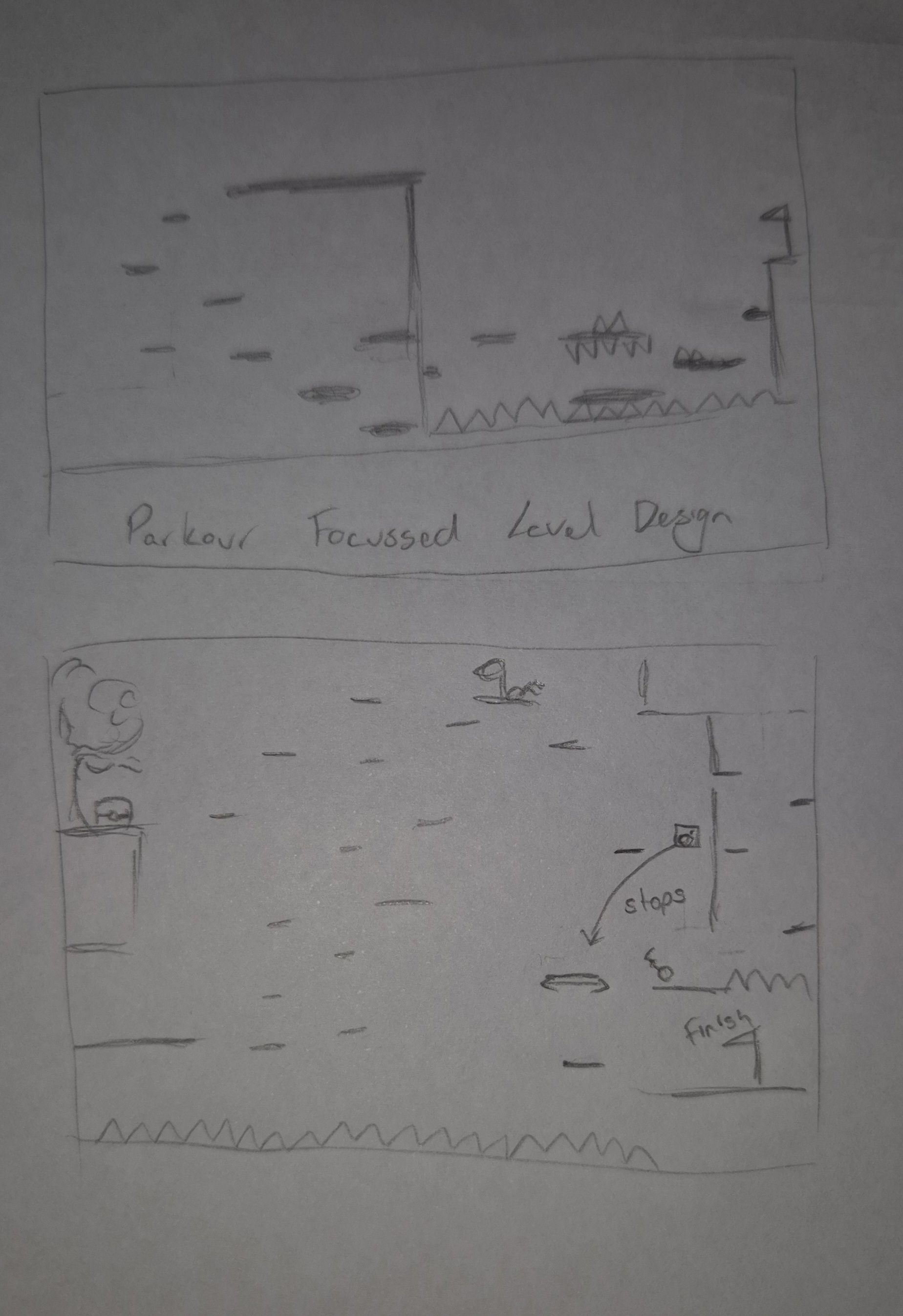
Level Design Reflection: Relate your experience of creating your first level inside the game editor.
After designing and playtesting in Maker King, I found it was a lot of fun creating, experimenting with new objects and testing the difficulty of puzzles in short succession. After drawing up my prototype, I had a vague idea of the level of difficulty I was aiming for based on existing games and previous experience on maker king levels, but it took a while to learn appropriate distances for motion puzzles. The distance that the player would travel when jumping, sprint-jumping, and throwing items was hard to determine, as there was no immediate gauge on where they would land/how high they were jumping. Because I didn’t have a meter to indicate the player’s height range when jumping, I had to playtest more frequently than perhaps required. Overall, though the design process was simple, it had a good UI and an easy drag-to-draw grid-building system that was simple to draw up my ideas on.
Leave a comment
Log in with itch.io to leave a comment.